May be I m missing/overlooking something, but isn’t the data variable in this function - just data from the given ‘fold’ (in which you created train and valid folders earlier)
I really like your project. Just a hint for an easy way to get more data: You mention that you have 200 secs of audio and you take 5 sec windows giving you 40 examples: An often useful thing in time series/ sequence data is to have overlap of the windows. so really slide your window by just moving it e.g. 1 sec instead of 5 and you immediately have a lot more images to train on. Each image will be slightly different from the next, which is similar to e.g. rotating an photo by a tiny amount, so this is kind of data augmentation for your case. Try what kind of error rate you can achieve with that!
My first project now was a detector for common stuff you loose. I decided on keys, wallet, credit card, remote control and sunglasses. For this initial work I downloaded pictures automatically using @cwerner tool. That gave me quickly a super good error rate, but the currant dataset is too easy.
I guess this upcoming session we will have image segmentation. I do not yet know how to build a good dataset for what I am doing right now, but I guess there it will get interesting ^_^…
Very interesting @r2d2. Based on your code then I play around with the hook.callback and find that we can extract the activation of the last layer by the way below (which used the hook_output of fast.ai that sgugger suggest).
    last_layer = flatten_model(learn.model)[-3]
    hook = hook_output(last_layer)
    learn.model.eval()
    n_valid = len(data.valid_ds.ds.y)
    for i in range(n_valid):
        img,label = data.valid_dl.dl.dataset[i]
        img = apply_tfms(learn.data.valid_ds.tfms, img, **learn.data.valid_ds.kwargs)
        ds = TensorDataset(img.data[None], torch.zeros(1))
        dl = DeviceDataLoader.create(ds, bs=1, shuffle=False, device=learn.data.device, tfms=learn.data.valid_dl.tfms,
                                         num_workers=0)
        pred = learn.model(dl.one_batch()[0])
        if i % 1000 == 0:
            print(f'{i/n_valid*100:.2f}% ready')
        if i == 0 :
            acts = hook.stored
        else : acts = torch.cat((acts,hook.stored), dim=0)
I can’t find the Image.predict anymore. With that function, the code will be more compact. About HookCallback I don’t know how to use it yet :D. Because we want to save the activations in the validation set so I’m not sure if we can add a callback after we have already trained the learner. Need to read more the source code.
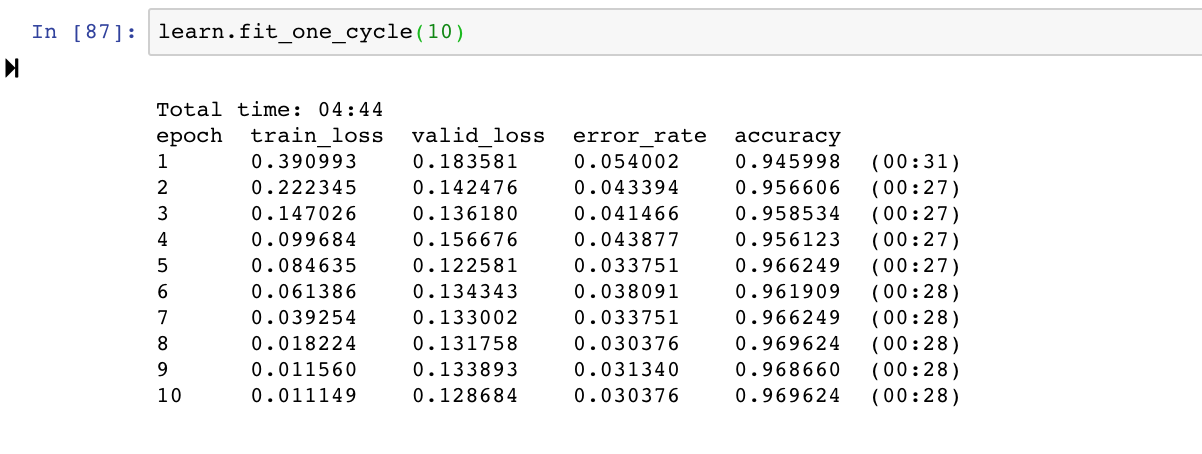
Isn’t a clear sign that I am overfitting because my error is wiggling around 0.085 and 0.089 even though train error reduced from 0.34 to 0.28 and valid error from 0.2558 to 0.231
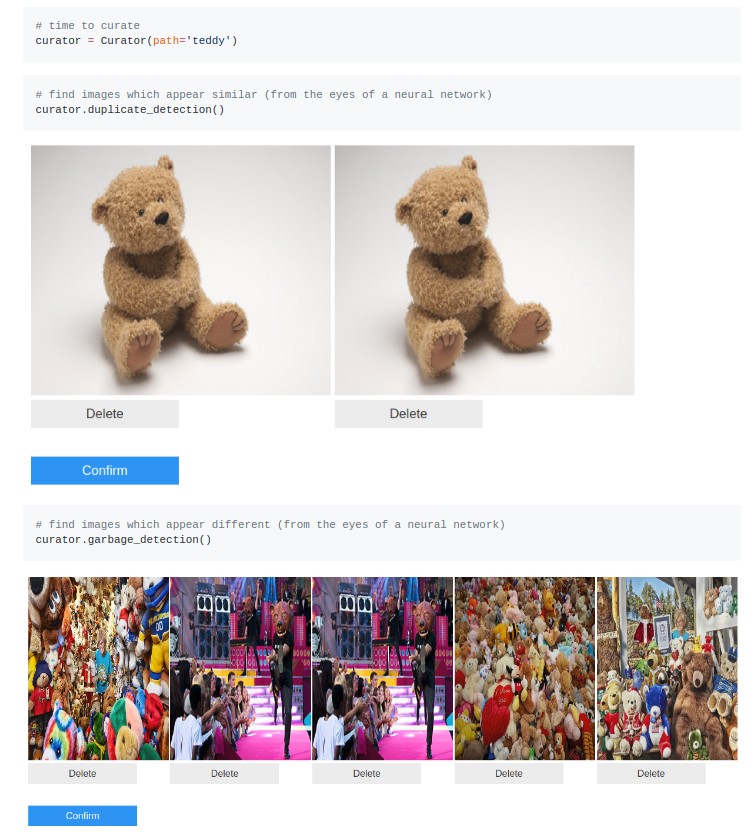
Ok… I did a complete refactor to include the user interface from the FileDeleter we learned about tonight. Now it’s a super clean interface for finding duplicate or near duplicate images as well as garbage images using intermediate representations of a pretrained network.
Hi i will be working with mammographies (the CBIS-DDSM dataset). For now i have extracted a subset of x-ray tiles in order to classify them as healthy or malignant tissue. I have converted the x-rays to 16bit png using pydicom and create a modifed open_image in order to read the 16bit png file. Furthermore to work with pretrained networks i have created a small function to convert the input layer of a resnet to accept 1-channel input.
I plan to use this dataset for dataaugmentation and segmentation throughout the course and combine it with some of the wonderfull ideas that have come up in the first lessons. There are lots of challenges with this dataset:)
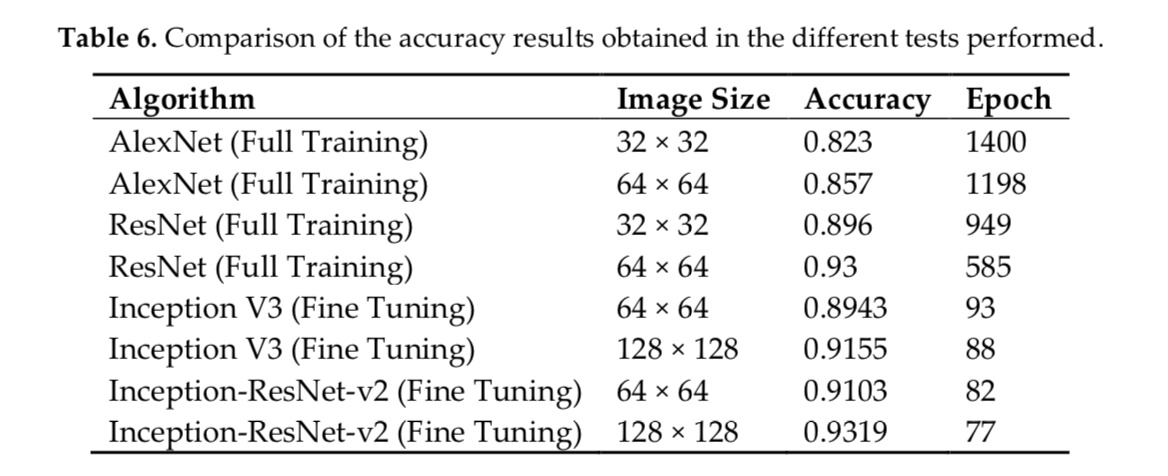
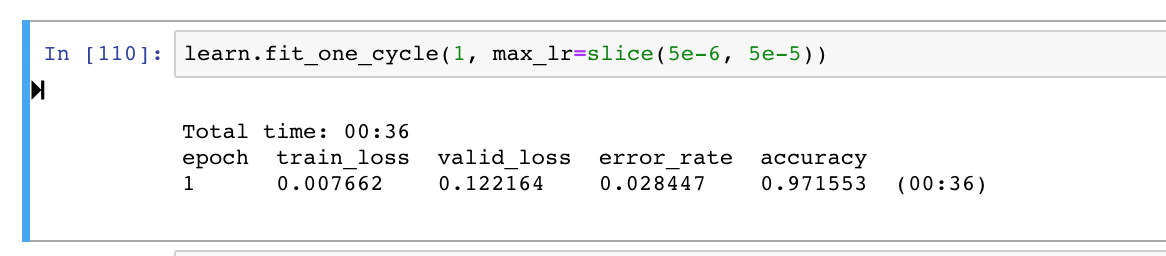
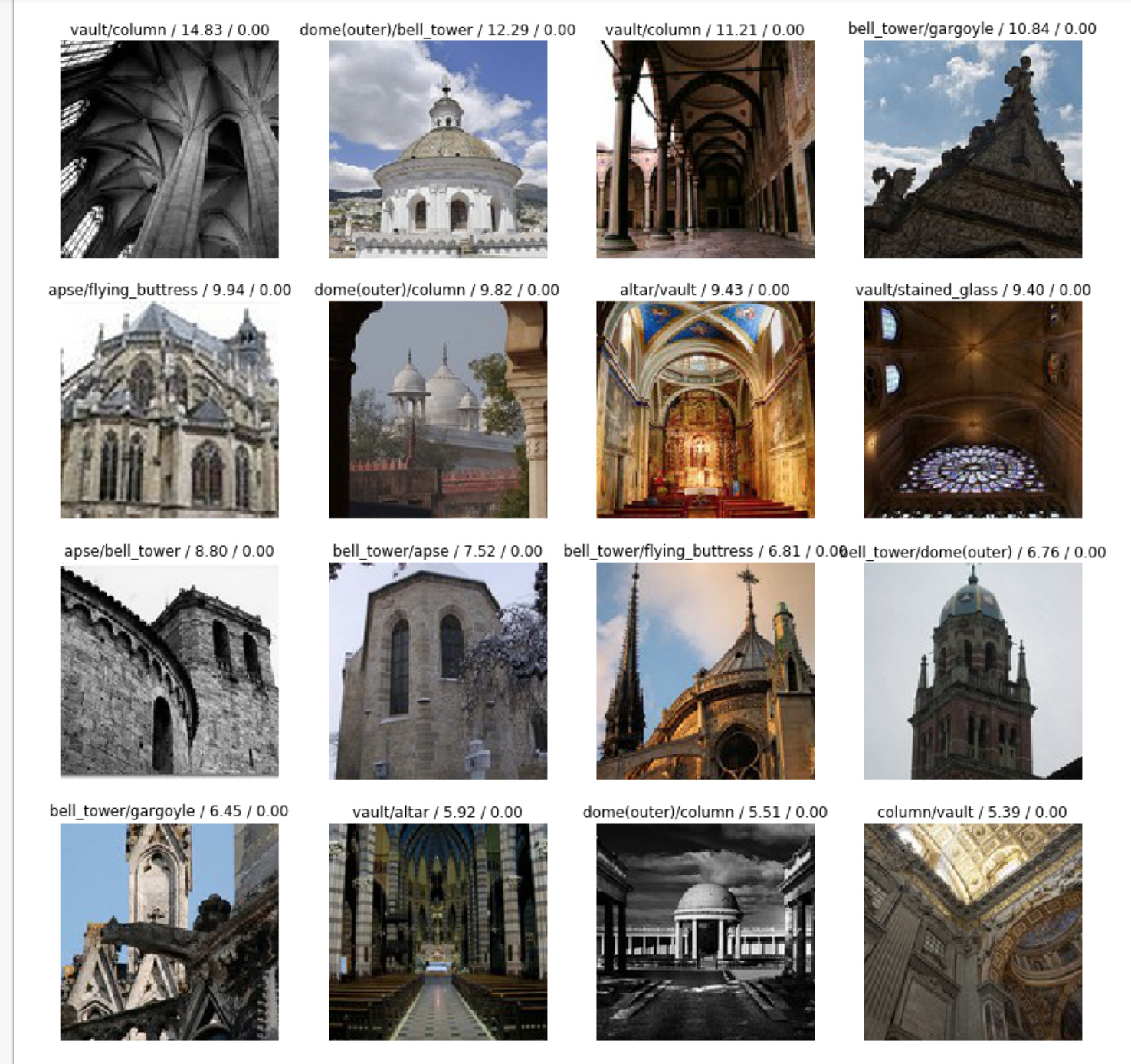
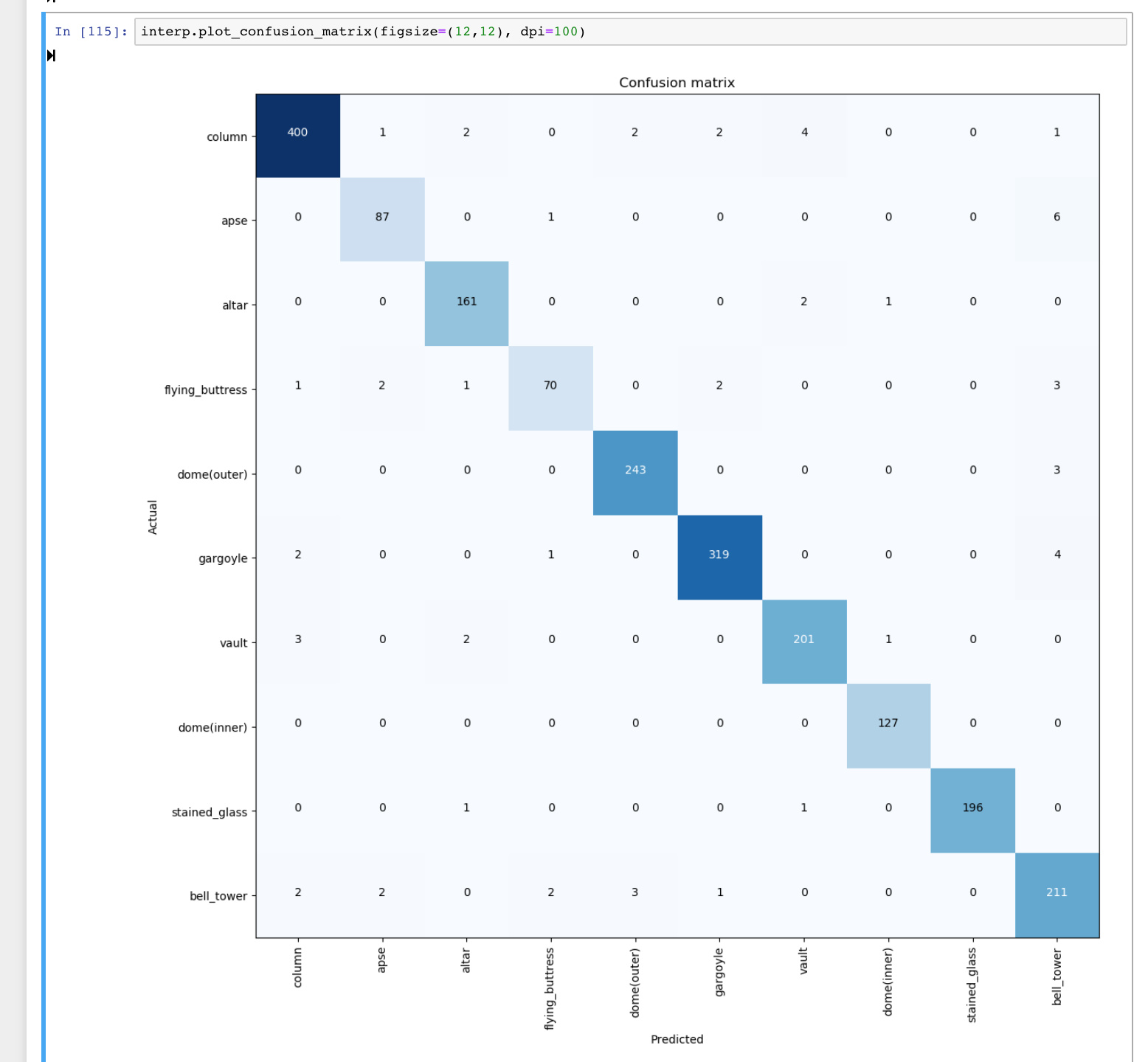
Hey Guys, I decided to work with Architectural Heritage Elements image Dataset dataset. And I think have achieved something better than SOTA for this dataset. The authors claim 93.19% whereas I achieve 97.155% with Restnet50 after some finetuning. There is a lot of further potential for finetuning I think.
Link to the paper i am currently comparing my results to. not sure if there are any further papers on this improving their results.
Paper introducing the dataset and accuracies. I am working with 128x128.
Hey, I went through your notebook but didn’t exactly get how you passed in the 3 crops. Did you pass in all three crops and then take the most occurring result or concatenate the images in some manner? It seems to me like you still passed in one image at a time. (pls point to where you passed in different in code as well)
 (didn’t realize you moved around the folds beforehand)