I translated you Covid article in similar way, used Google translate to covert to local content, then edited in Google typing to make the translated sentences meaningful. I think this strategy can be used for any language support by Google translate.
1 Like
@miko @DavideBoschetto I am more than welcome to help you in Italian
It breaks my heart not seeing Japanese in this list!!
I have not taken any classes in Japanese after high school so I am definitely lacking many technical terms (not to mention my family thinks my Japanese is broken these days  ). BUT! I will give this a try and I am throwing @crcrpar under the bus here just because he said “of course” when I asked for a help during our casual conversation
2 Likes
@hiromi that would be really great, because there hasn’t been much of a fast.ai Japanese community so far due to a lack of translations.
3 Likes
I am on it! The least I can do to give back 
2 Likes
Currently translating lesson 1 in french
Can you get YouTube to auto translate English subs to French. I checked couple of times but so far no luck. Doesn’t show that option. 2019 video I tried had it. Not sure if it takes a while fo YouTube to generate…
Hiromi, you’ve given more than nearly anyone already! 
2 Likes
Great! Please add yourself to the top post.
I don’t know I am not using it. I am translating directly from audio using auto-transcript when necessary (which works surprisingly well).
1 Like
I was already on here
1 Like
@translate-1v4: lesson 1 is now ready to translate. To do so, click here:
http://www.youtube.com/timedtext_video?v=_QUEXsHfsA0&ref=share
You’ll be able to see the auto-generated English captions to help you translate - but remember they have errors, so make sure you listen as well.
Feel free to create PM groups or topics to coordinate multiple translators.
Good luck!
3 Likes
That’s great. Thank you!
When i checked the 2019 video and added Polish language translation (which i never finished  ) i had an option to auto generate Polish translation. It’s not available for 2020 video. I am not sure if this feature needs to be activated or it just takes time for youtube to generate auto translations. That could make the translations a bit easier. To use auto translation as a starting point and correct it for there…
1 Like
I don’t know anything about that - if anyone finds a button I need to press, let me know and I’ll do that!
@DavideBoschetto @Albertotono I hope to be able to work on this over the weekend. I sure as hell need a distraction
1 Like
Awesome, let us know if you need help.
@miwojc, I think I figured it out. I experimented with a video I had, and as soon as I published an English transcription, the Autotranslate button appears:
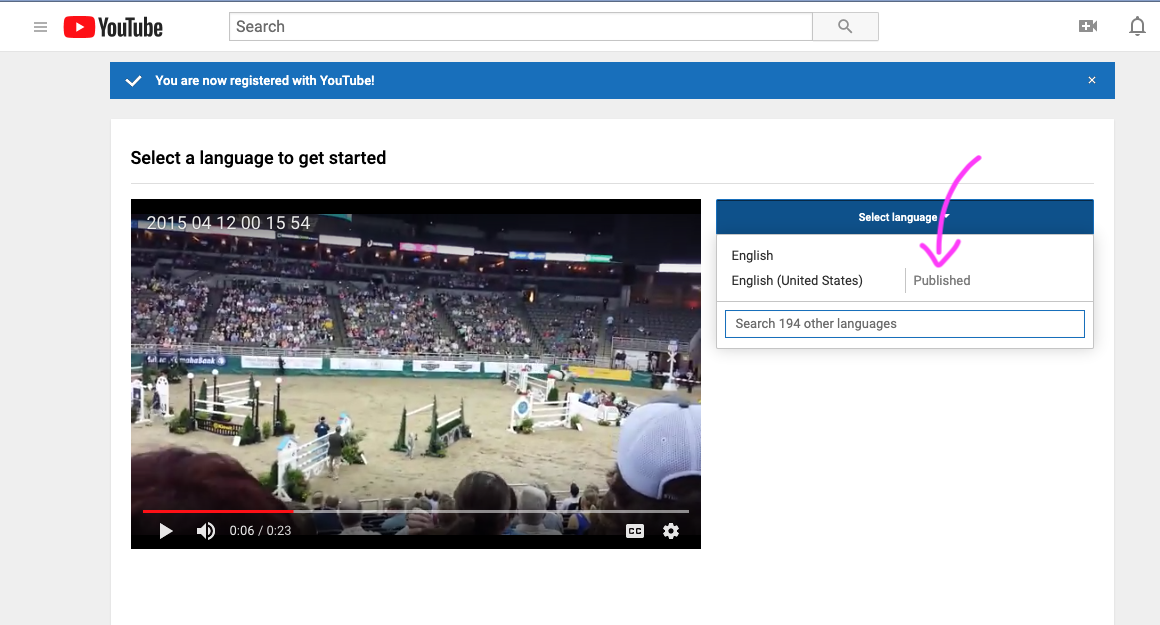
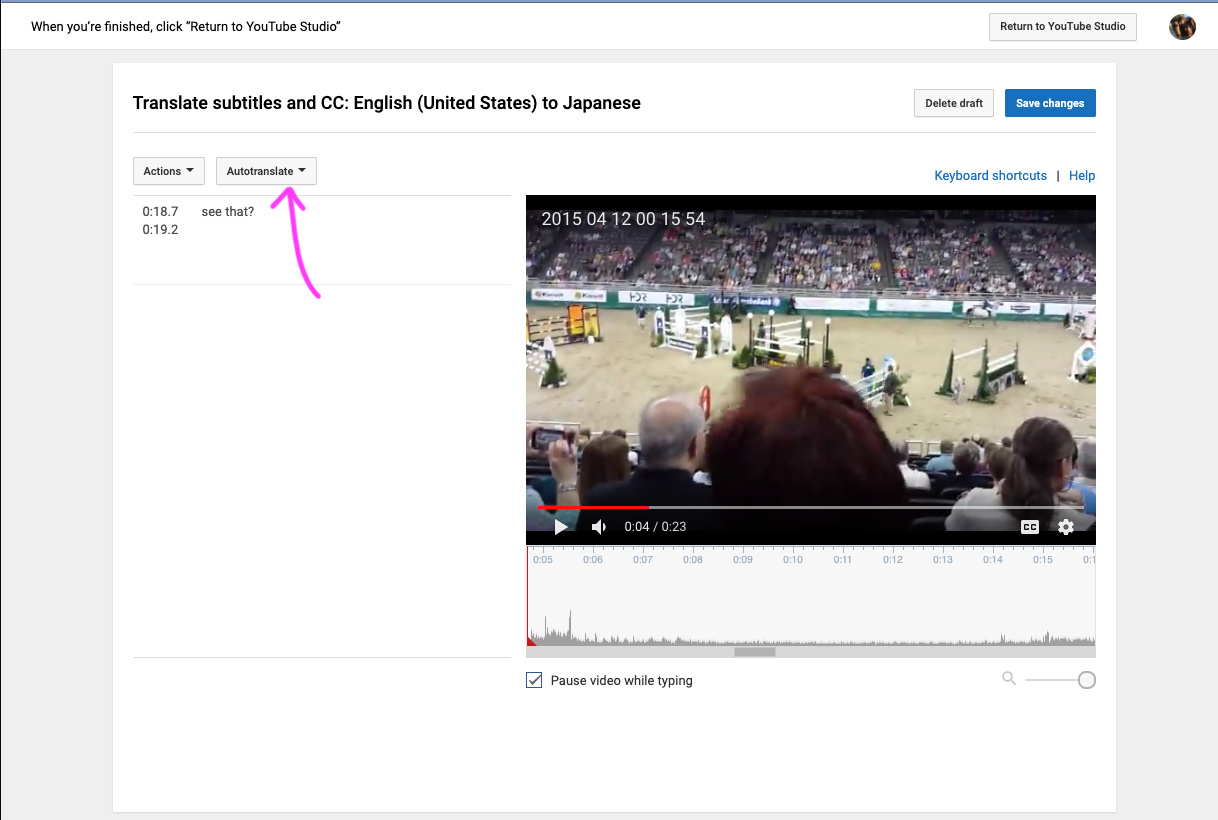
You will know because there is “Published” next to English when you do “Select Language”.
@jeremy, I will try submitting the auto generated English caption now. If you can review and publish it for the time being, we can get working on translations with auto-translation.
When the English transcription is completed by the other group, the published auto-generated caption can be deleted like so:
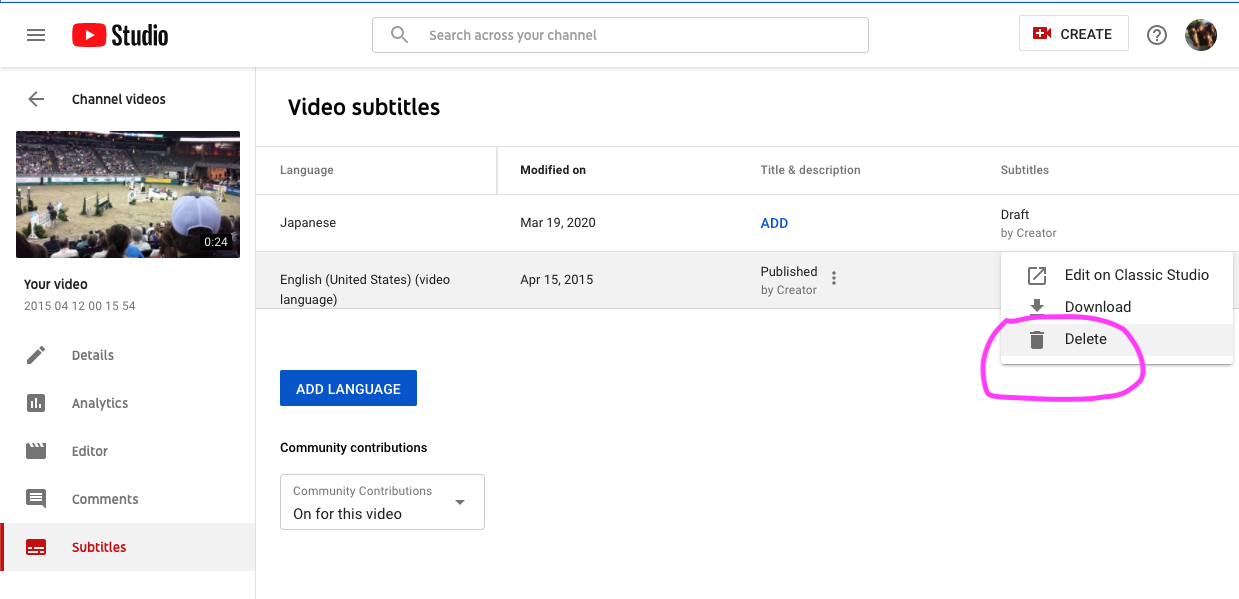
3 Likes
This video was helpful for understanding how community contribution works in YouTube:
3 Likes
thank you @hiromi
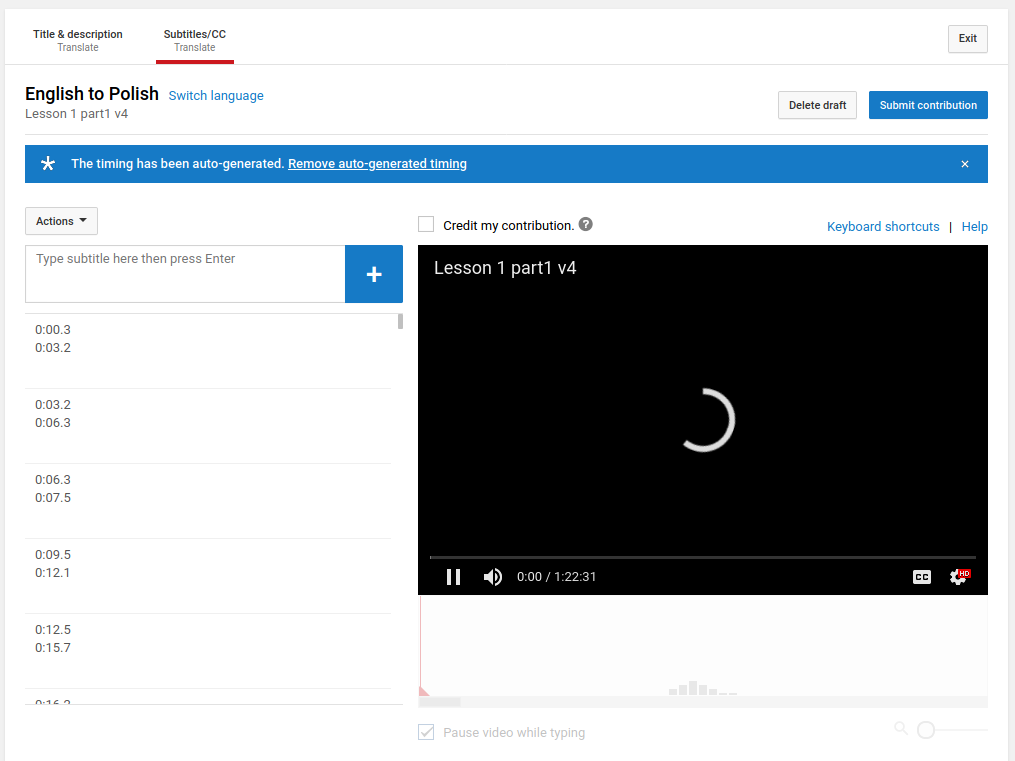
is this something that only author of the video can do? i don’t have such options in my account on youtube when i open lesson 1.
I can see english transcript which i think is auto generated.
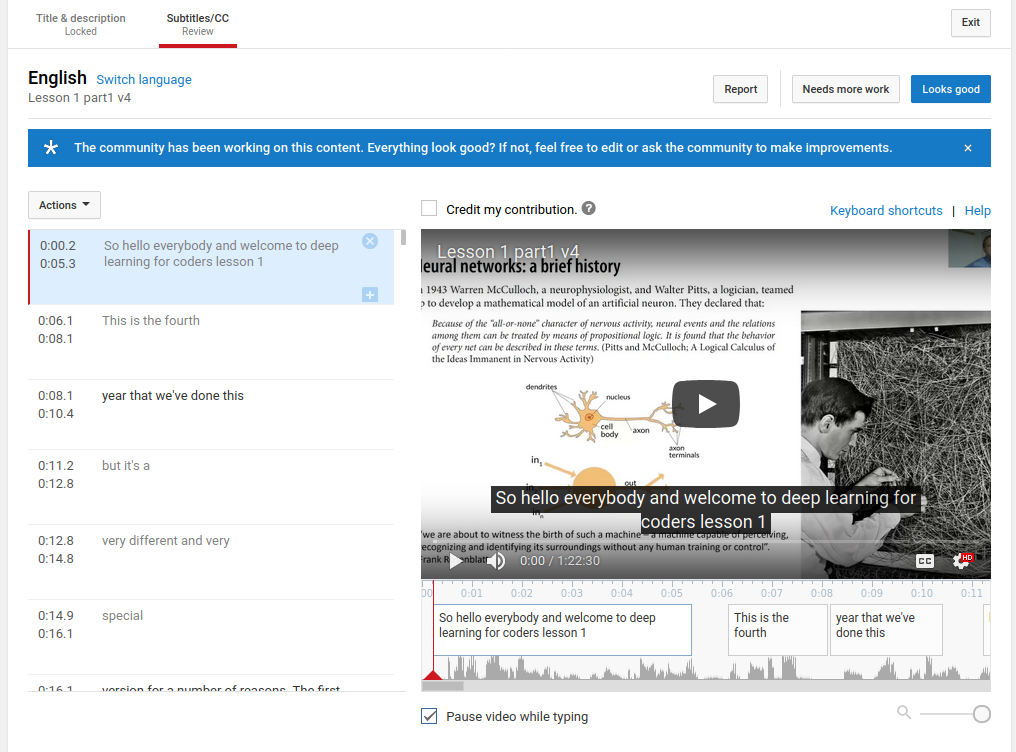
however when i switch language to Polish, i dont have an option to Autotranslate
1 Like
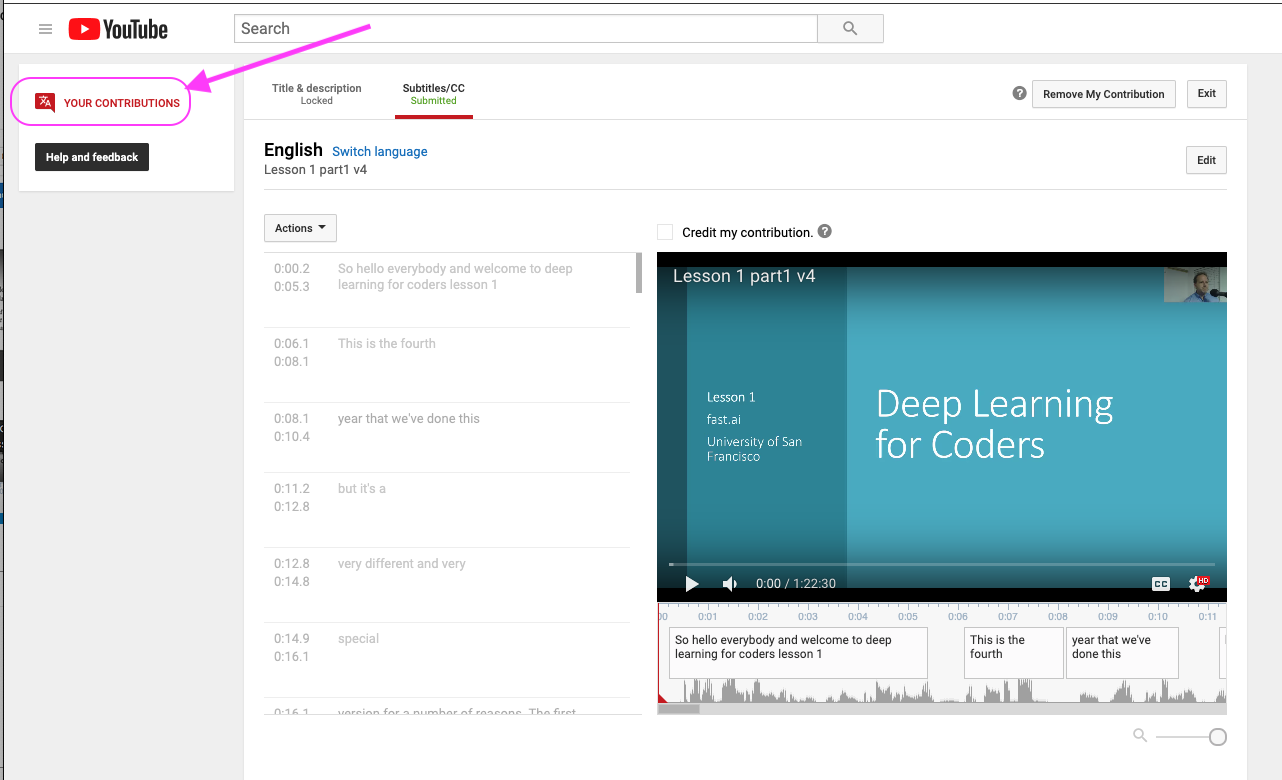
I looked all over the place because there is supposed to be a way for community to help “review” other contributions. It was hidden in a place that is not at all intuitive!!
If you can find this box somewhere, it will take you to a summary like page:
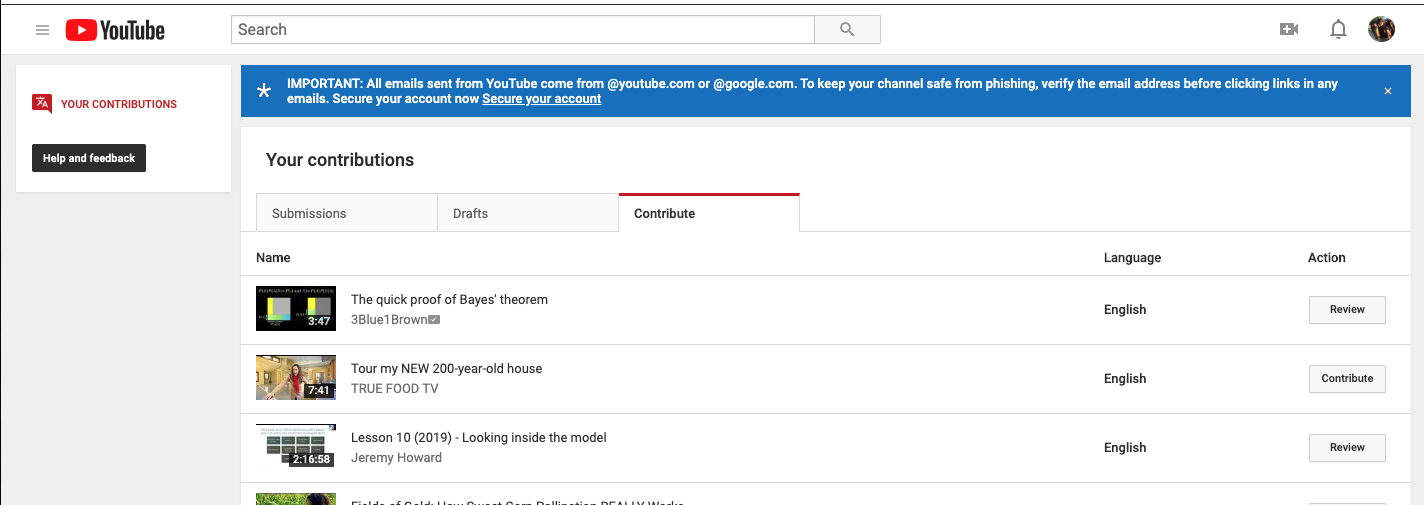
Under “Contribute” tab, you’ll see videos from all the channels you are subscribed to:
The URL is this but it might be user specific:
https://www.youtube.com/timedtext_cs_panel?tab=2&ar=1584708069013
So I think it will allow you to review the submission I made last night with just auto-generated English CC and make some improvements, but “Publishing” might be something only authors can do.
1 Like