Hello, everyone, I am a nubest nube possible.
My personal OS: Linux Ubuntu 17.10
My personal browser: Firefox (latest)
I work on trying to set up an initial fast.ai environment on a new paperspace machine. So I am working in a browser console on paperspace, right?
Entering “curl http://files.fast.ai/setup/paperspace | bash” does not work, because it sends me a mistake after “sudo rm /etc/apt/apt.conf.d/.” - something along the lines “rm: cannot remove file /etc/apt/apt.conf.d/. because no such file”.
Trying to copy command from the script one by one does not work because my clipboard does not copy the text to the browser console!
I found this https://paperspace.zendesk.com/hc/en-us/articles/236362428-Copy-and-Paste-Sync-Clipboard link with the helping suggestions, but I cannot find “small circle button in the Paperspace interface and then click “Sync Clipboard”” anywhere! No bashing of my head on the keyboard helped. Ctrl-V does not help, Winkey + V does not help, Shift+ins not working. I have a double booted Linux / Windows 10 laptop, and my default keys on Linux are kinda strange sometimes. I paste in Terminal with the mouse.
That’s how my interface of browser console looks like (no small circle buttons):
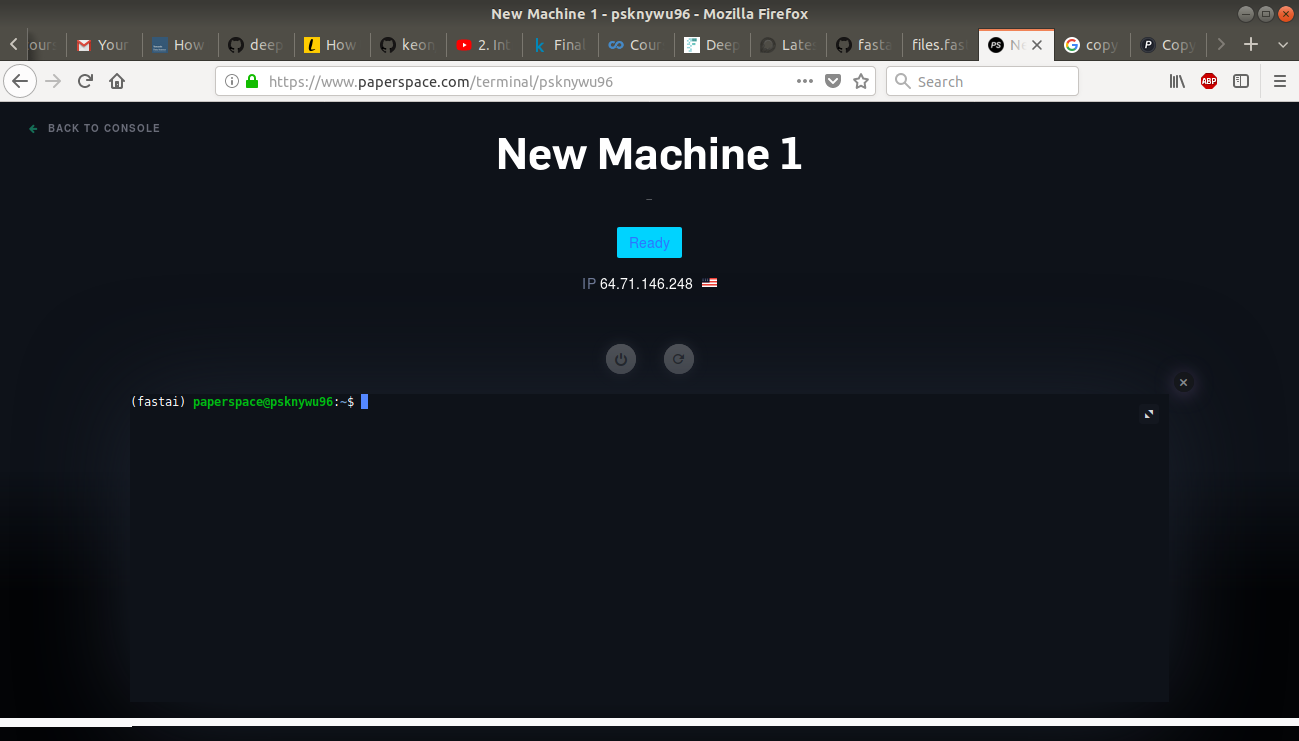
Please, help  or can you find me the script http://files.fast.ai/setup/paperspace with offending command hashed out? don’t want to drop fast.ai just because of stupid nube mistakes.