Some time ago I read
Why I Stopped Using nbdev – Hamel’s Blog - Hamel Husain
I get where he is coming from. If you want AI tools to generate large amounts of code for you, Notebooks might not be the best fit.
I have learned to tame GitHub-Copilot so it works well with Notebooks/nbdev intricacies, but it does take some effort.
Luckily, if you want AI tools to do what they do best (working with .py files) while STILL using notebooks/nbdev, you are lucky. Jupytext is here!
The images below are from VS Code, but the setup is quite similar in JupyterLab.
+Info: https://jupytext.readthedocs.io
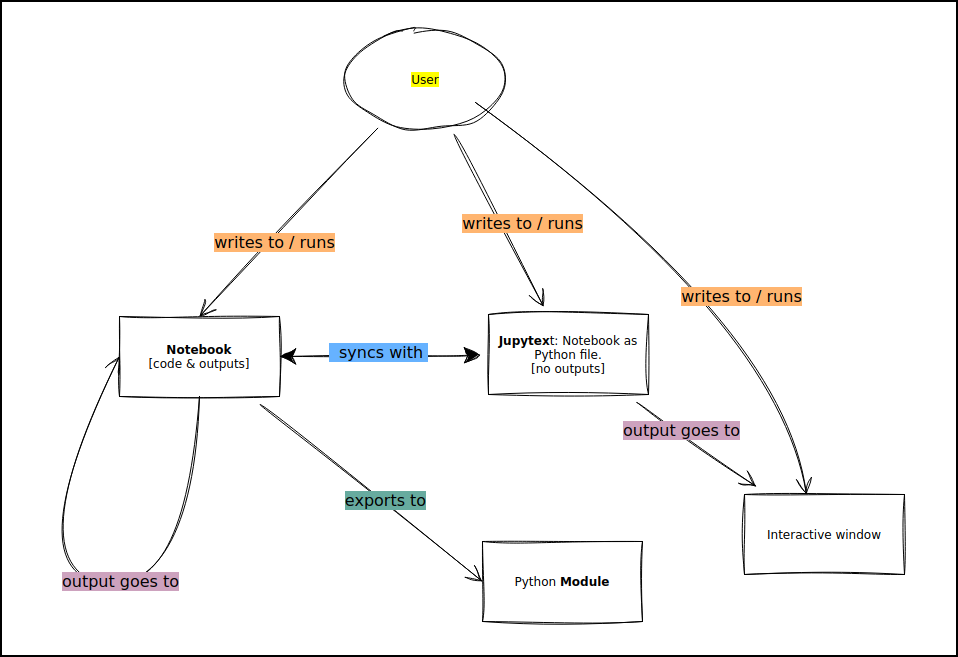
conceptually
vscode
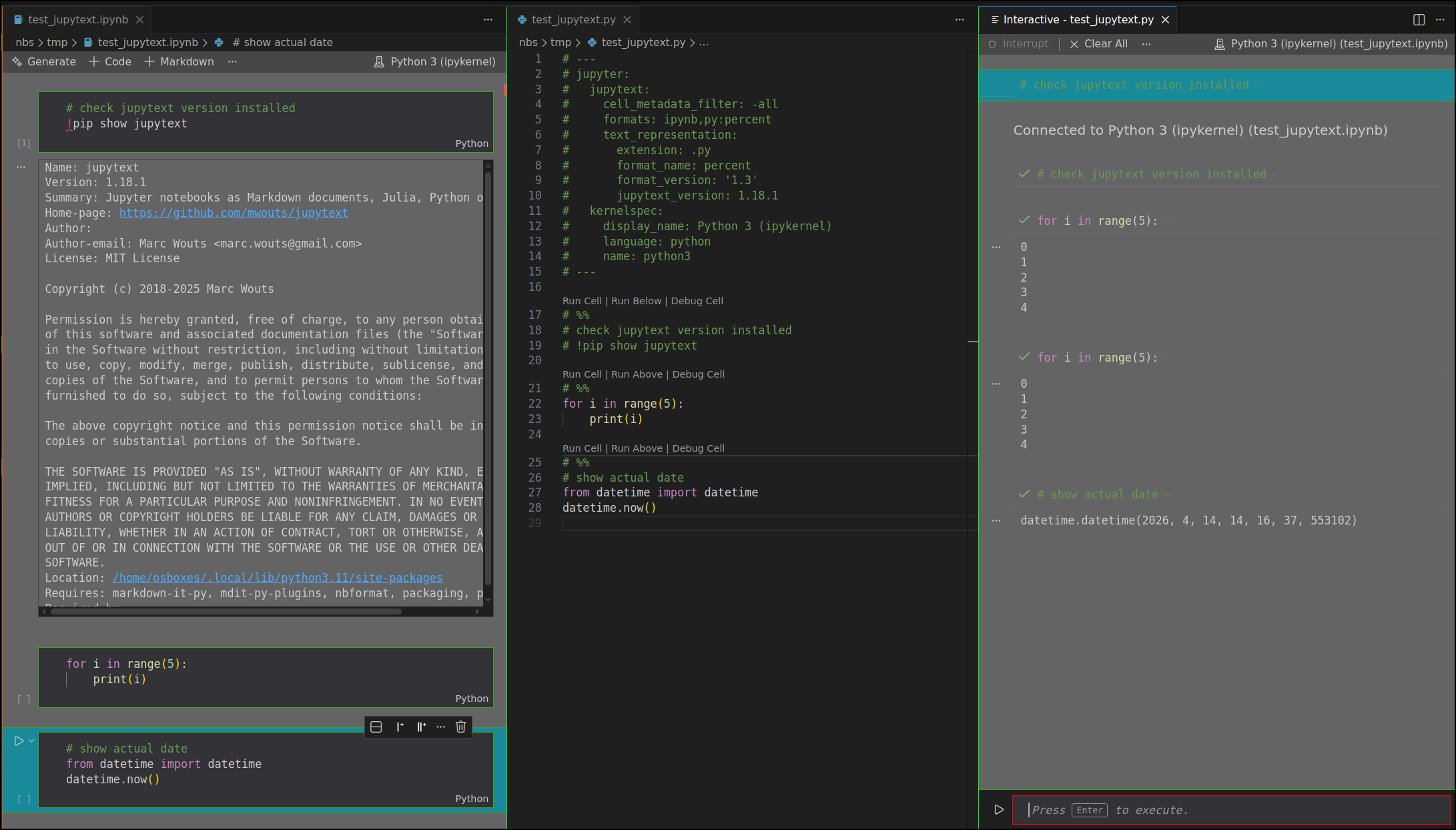
Bonus: with the vscode extension nb-run-selection you can run any selected text just like in Colab / JupyterLab.
PS: I still love & use nbdev 


Note: images display perfect in the ‘draft mode’ but when ‘published’ they show as ‘broken link’.