Moving through the notebook for Lesson 1, I was unable to retrieve image files from DDG using the duckduckgo_search.ddg_images function (returns ‘403 Forbidden’ error).
To solve this problem, I installed and used an alternative search function kindly posted elsewhere on this forum:
from fastbook import search_images_ddg

def search_images(term, max_images=1):
    print(f"Searching for '{term}'")
    # old function
    #return L(ddg_images(term, max_results=max_images)).itemgot('image')
    # new function
    return search_images_ddg(term, max_images=max_images)
This solution works well (perhaps unrelated to current error).
However, upon using the DataBlock class, I have not been able to solve the following error:
searches = 'forest','bird'
path = Path('bird_or_not')
from time import sleep
for o in searches:
    dest = (path/o)
    dest.mkdir(exist_ok=True, parents=True)
    download_images(dest, urls=search_images(f'{o} photo'))
    sleep(3)  # Pause between searches to avoid over-loading server
    download_images(dest, urls=search_images(f'{o} sun photo'))
    sleep(3)
    download_images(dest, urls=search_images(f'{o} shade photo'))
    sleep(3)
    resize_images(path/o, max_size=400, dest=path/o)

failed = verify_images(get_image_files(path))
failed.map(Path.unlink)
len(failed)

dls = DataBlock(
    blocks=(ImageBlock, CategoryBlock),
    get_items=get_image_files,
    splitter=RandomSplitter(valid_pct=0.2, seed=42),
    get_y=parent_label,
    item_tfms=[Resize(192, method='squish')]
).dataloaders(path,
              bs=32,
              verbose=True
             )
dls.show_batch()
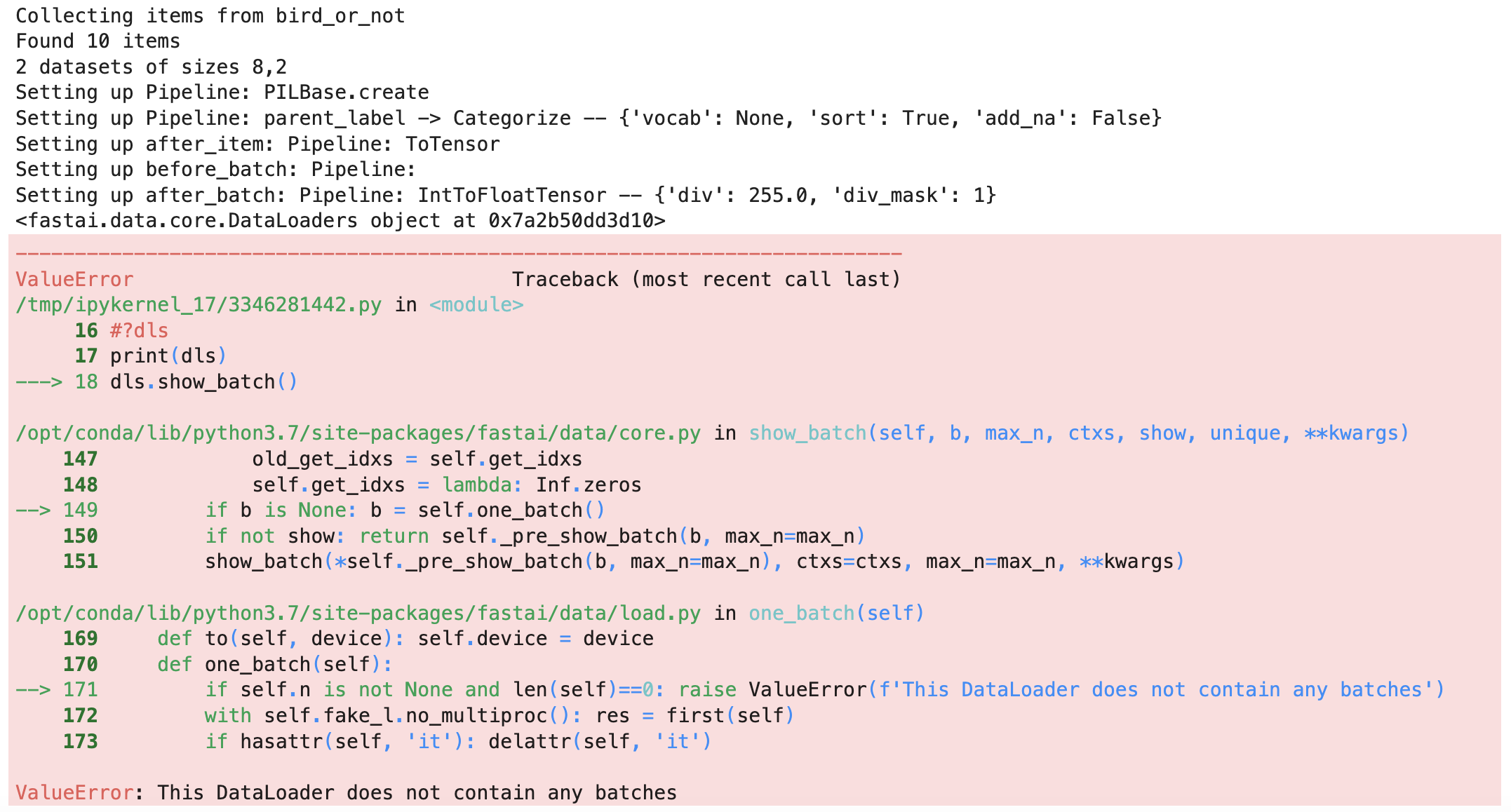
I’ve tried a bunch of things. I removed the item_tfms and bs parameters. I’ve tried setting dataloaders parameter create_batches=True. Nothing looks weird using the debugger. I think maybe this error stems from the dataloader inability to create a “batch” from the input provided from get_image_files function, but not sure.
I have the standard docker environment plus the ddg api installed:
duckduckgo-images-api==1.0.0
fastai==2.7.12
fastapi==0.75.0
fastbook==0.0.29
fastcore==1.5.48
Not sure what else to try.
Any suggestions appreciated. Thank you.