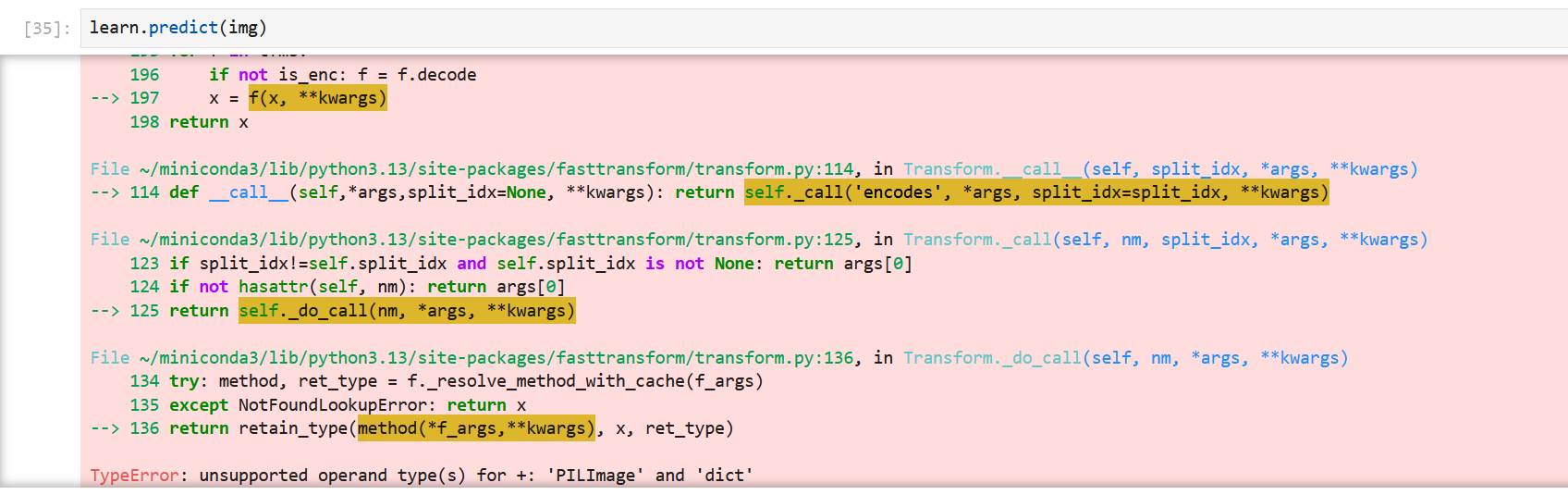
I’m trying to test the model, as in the Dogs vs Cats notebook in the video but am receiving this error.
I’m pretty confused since the learn.predict() function works in every other case (as in it worked in Lesson 1 etc.) but doesn’t work when I attempt to use it in conjuction with load_learner(). I’ve tried an array of different solutions from this forum (including passing the image as a string, which also returns a similar error).
Some help would be greatly appreciated!
How did you save your model?
I think learn.export() can work correctly.
I used learn.export() ! I don’t know if the problem is it being exported from Google Colab but Kaggle can’t seem to handle the data cleaning widget with a bigger dataset!
I don’t know what caused the model loading problem, but I can confirm that using google colab can correctly handle ImageClassifierCleaners, while kaggle fails to load the ipywidget.
If you can give me enough information to reproduce the problem, I’d be happy to help. 
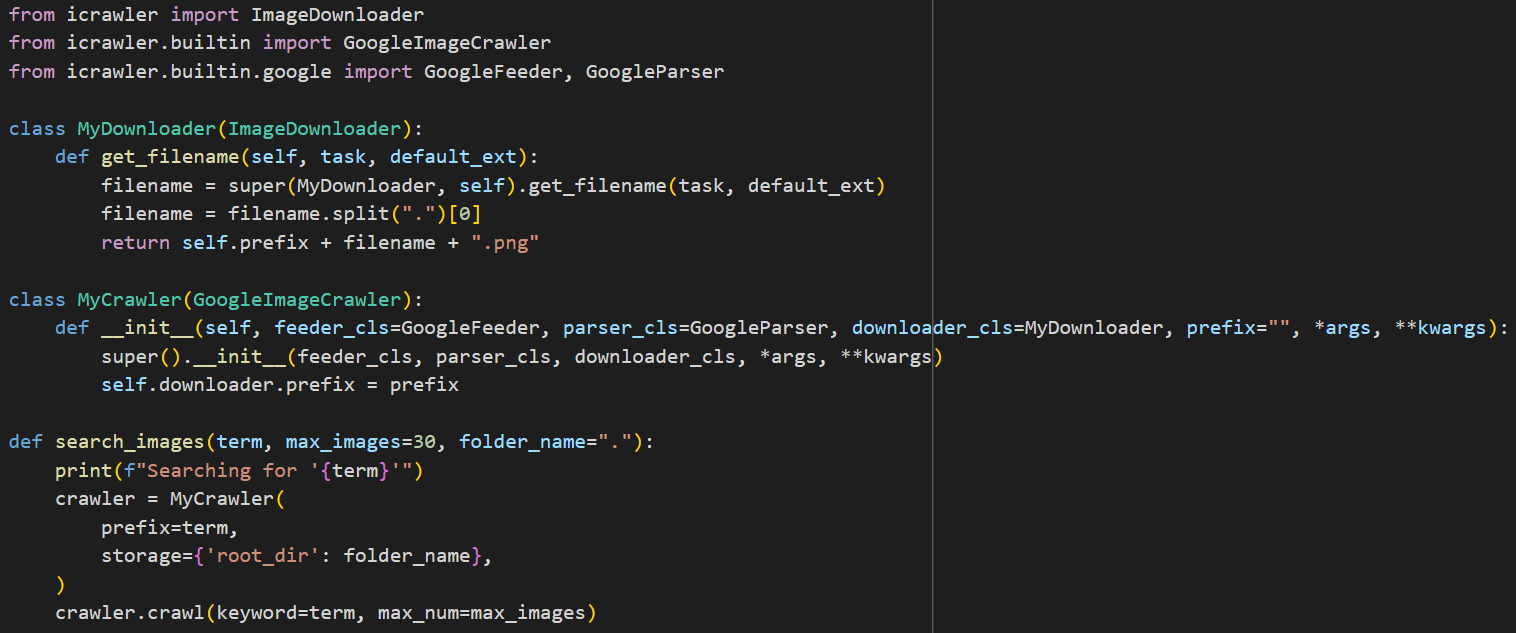
My model is similar to the example model, being mostly identical in the places that still seem to work. I replaced the DDG search with a Google search using icrawler as below, but I don’t see this being the issue.
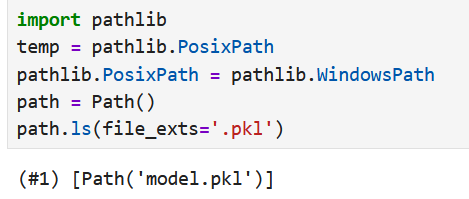
I then cleaned the data and exported in Google Colab. Then, I copied the .pkl file into a directory in my Ubuntu system (the directory created for the web app) and launched a testing notebook in Jupyter Notebook using the Ubuntu terminal. I did have to work around the model being exported in Windows and then applied in Linux, which I managed to lift somewhere from this forum. EDIT: Which now I’ve restarted the kernel doesn’t seem to work anymore!
The image I am ‘testing’/ using inference on I downloaded directly from Google Images and again copied into the directory. It’s a .png if that is of use. I’m a bit of a beginner (in PyTorch anyways) so I don’t really understand the underlying code of the learn.predict() function so I’m unsure why the function will take a PILImage input in one setting and not another? I’m assuming it must be something to do with the learner, perhaps how I’ve transferred over the files? Or maybe it being trained in Windows? I feel like I’ve followed the steps in the video to the T but maybe have glossed over something unmentioned since I’m not 100% familiar with the Linux environment just yet.
I hope some of this info helps! Let me know if you need any more specifics. I really appreciate the help
Just to add, when I load the learner in Google Colab (in the same notebook but under a different name, so I know that it’s not pulling from the already trained model inside of that notebook) learn.predict() works perfectly fine. I feel like my issue is something to do with the file transfer but I can’t figure out what I’m doing wrong!
Are the versions of fastai on the two systems (windows, ubuntu) different?
I’m sorry but if your method fails in one environment and works in another, I think you can find ways to reproduce the problem and share it in fast.ai discord or post an issue on github.
You can also check out the docs Learner, Metrics, Callbacks – fastai on the export method.
After a while of messing around, I realised that Google Colab currently doesn’t run the most up-to-date version of Python (to the best of my knowledge). Hence, I create a virtual environment to accomodate Colab’s version. You can do this pretty easily through conda and pip install your desired packages the usual way- for anybody who runs into the same issue. Thanks for the help!